Singular Internet Suite
SeaMonkey is a free web browser that allows simplified browsing, along with better email, feed client and IRC chat management. An HTML editing feature and Web Development Tools is also available for use.
Top Recommended Alternative

Community Made Project
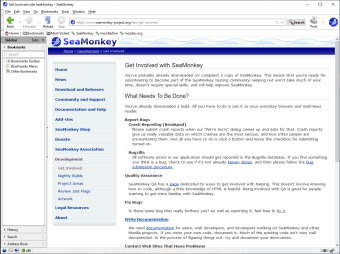
SeaMonkey is built by a dedicated community to become a reliable Internet Application Suite. Their main inspirations of a community-driven platform were Netscape and Mozilla Firefox. The web browser has an Internet browser with advanced features. It is integrated with online communication tools like email and news feed client, IRC chat client and web feed reader. The extra functionalities added in the web browser are HTML editor and web development tools.
Standard Web Browser
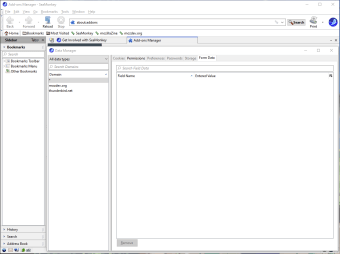
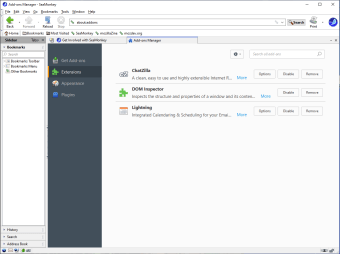
The web browser has several features to make browsing very optimal while retaining every integral browser features. It enables syncing across platforms from mobile devices to computers. Every web page has tabbed browsing for single opened window. The home page can be assigned with multiple pages when accessed. Any closed tab can be reopened with “Undo Closed Tab or Window”. There is a Session restore If the web browser unexpectedly crashes, at the same time plug-ins will no longer cause crashing. The Add-ons Management enables installation of plugins made by the SeaMonkey community. Users can also develop their very own extensions along with sharing them online. It has a Data Manager to deal with an interface for all site-specific data gathered from users. The Lightweight themes or Personas offers thousands of browser themes. The Feed Detection gives notifications from web pages that offer RSS or Atom feeds. The Feed Preview displays the web contents by using a reader that will subscribe to those web page. It has an internal reader from the SeaMonkey Mail and Newsgroups. The Smart Location Bar helps in navigation and going back to frequently visited web pages. Ads are blocked by the Pop-up Blocker. The web browser generates suggested pages upon typing from the search bar. The Safe Mode with Troubleshooting Information page is used for debugging while disabling any plugins.
Extra Online Tools
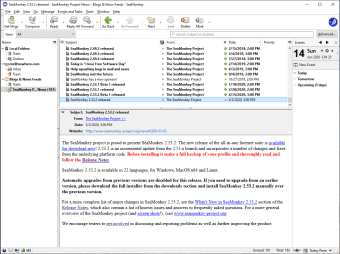
The web browser presents its SeaMonkey features. The Mail & Newsgroups is made with messaging tools like Tabbed Mail, Junk mail controls, Tags and Mail Views, Multiple accounts, Blogs & News Feeds, and even enterprise-ready components. The HTML editor is perfect for composing CSS codes and other web projects. The IRC Chat or "ChatZilla" is a network communication platform with full access for multiple networks and channels. ChatZilla is also available for customization. There are advanced Web Development Tools available where users can work with DOM Inspector and “Venkman” JavaScript Debugger.